Designing industrial control systems can be complex. Integrated Architecture Builder software from Rockwell Automation simplifies the process with graphical tools for layout, validation, and BOM generation. Ideal for Allen-Bradley hardware like CompactLogix PLCs and 1734 POINT I/O, it ensures efficient configurations. Here are five key ways it boosts your automation projects.
Integrated Architecture Builder (IAB) is a free graphical tool for designing Rockwell Automation systems. It supports controllers, I/O, networks, drives, and motion control, generating proposals and validating designs. Available as a desktop app or mobile version, it streamlines from initial sketches to detailed BOMs.
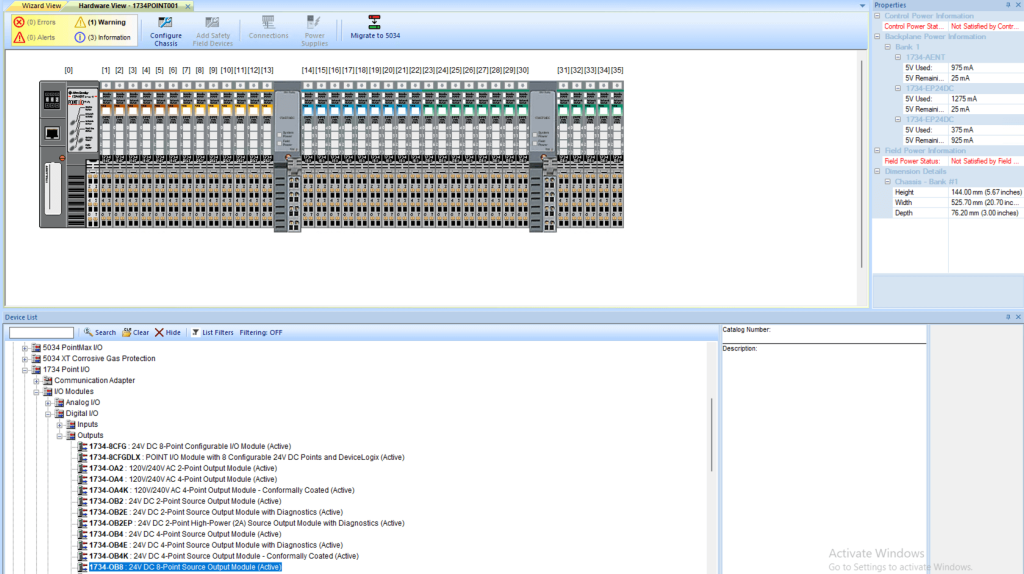
To check hardware for a single rack of 1734 POINT I/O with power supplies:
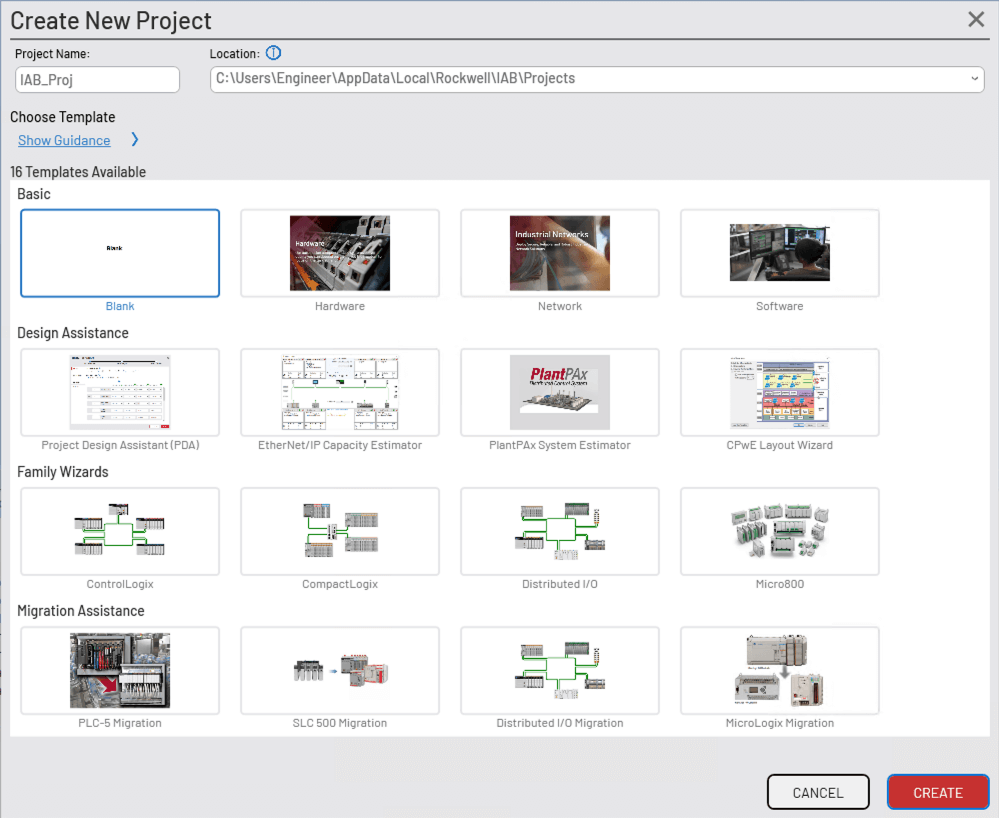
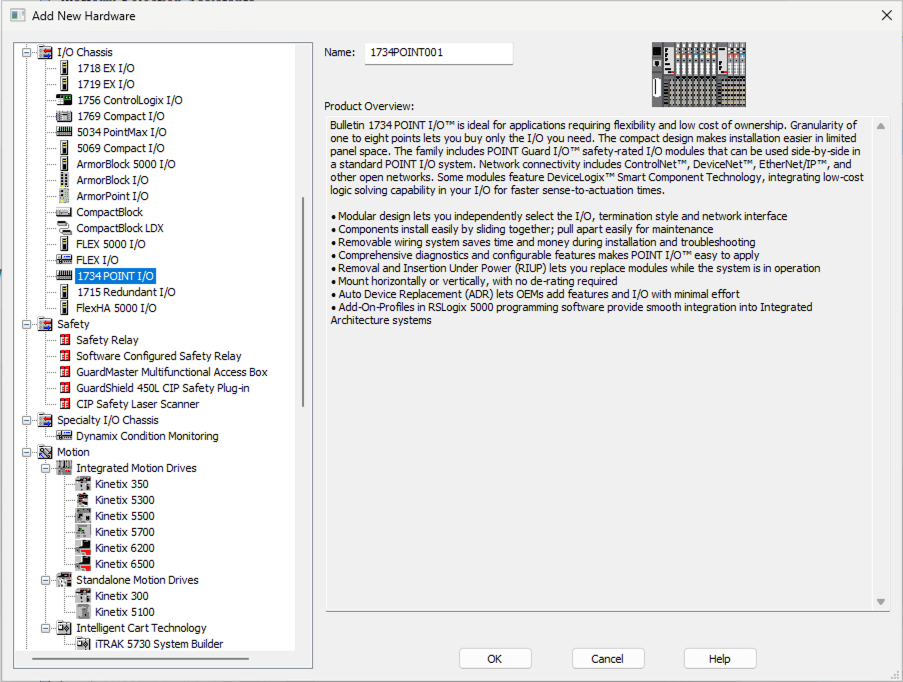
Start a Project: Create a new IAB project, Select Hardware from the templates. Use the hardware wizard to create a 1734 POINT IO rack.
Set Up Chassis and Remove Power Supply
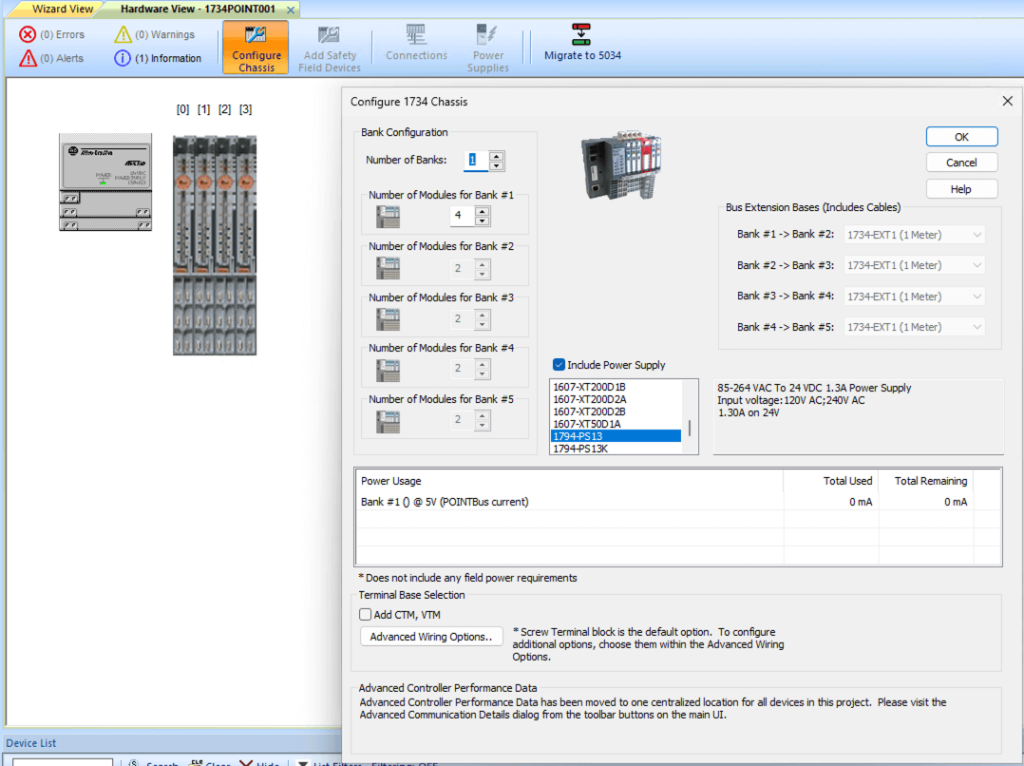
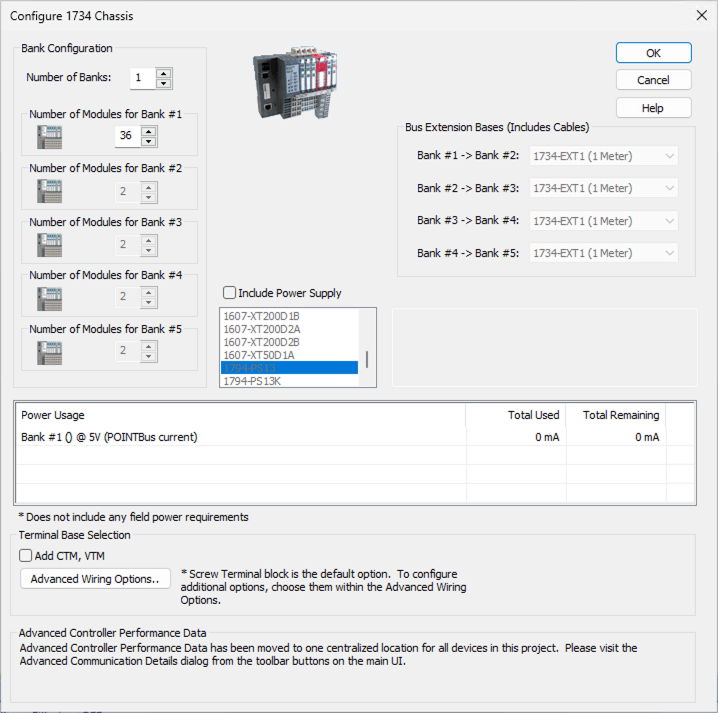
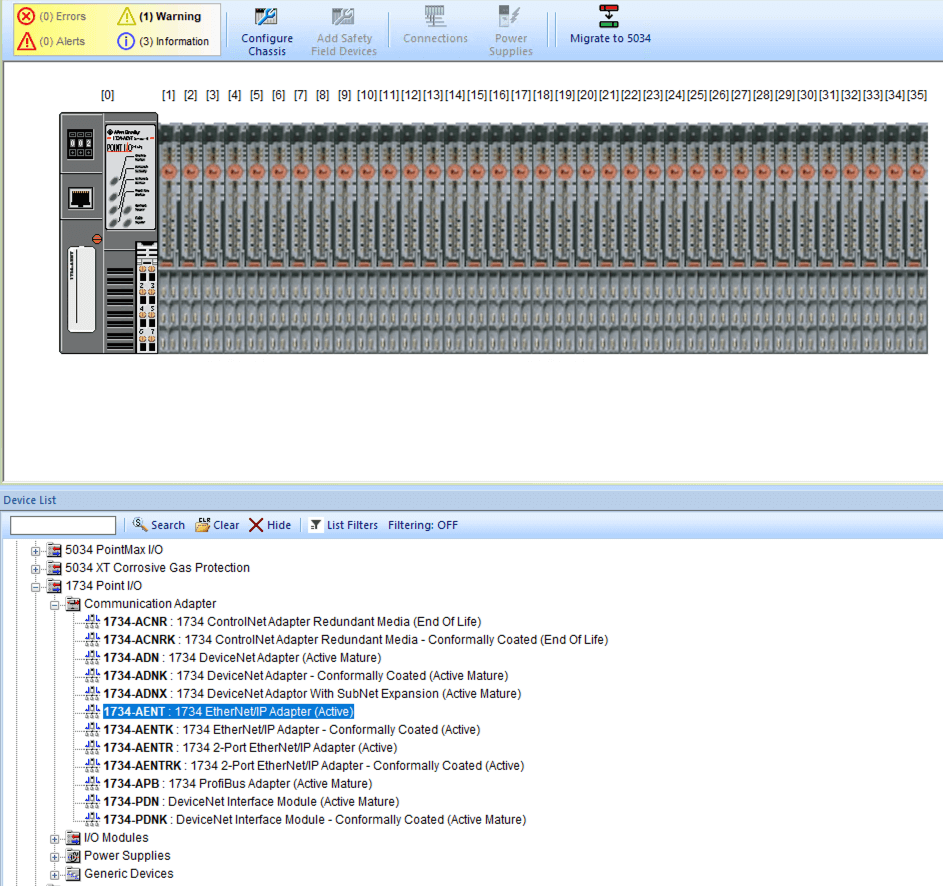
Insert Communication Adapter: Choose the Ethernet/IP adapter if that is the network you are using (1734-AENT). Drag and drop from the list below the rack up to the rack in the first position (slot 0).
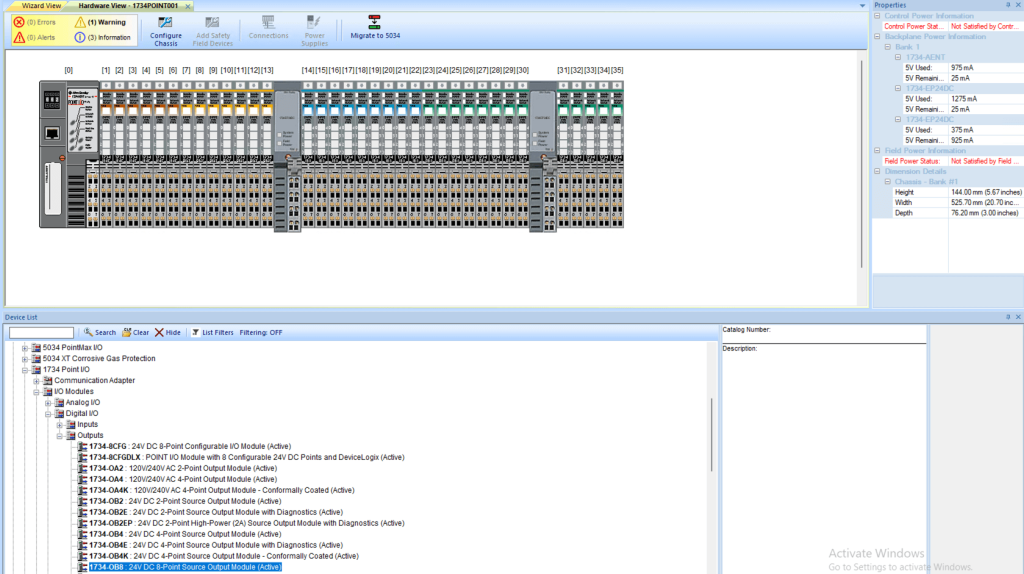
Add I/O Modules as required: The extra power supplies will be inserted automatically by the software according to the POINT IO power requirements. NOTE: You can view the power Used on the righthand side, displaying each power supply and how much is being used.
Export: Generate BOM and export to Studio 5000 for implementation.
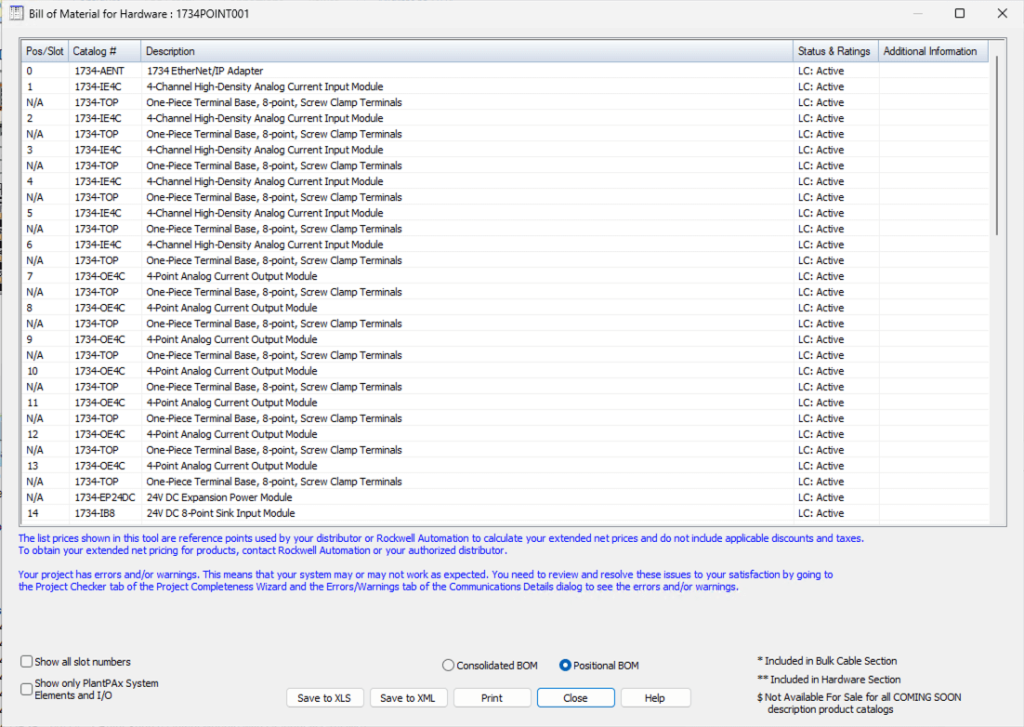
This ensures you have accounted for all the necessary components required to successfully install and integrate this rack with the correct hardware and software.
Integrated Architecture Builder software accelerates accurate system builds. Ready to try it? Download it at Rockwell Automation’s website. Let Automation Ready Panels design and program your next control system today! Contact Us